Pixel Veil composites a contrast-reduction veil over every display so side-viewers hit a lower contrast floor than you do head-on. Hotkey, menu bar, and app rules — all native, all local, all yours.
SwiftUI + AppKit + Metal. Every control, every transition, every keyboard shortcut matches the OS you already know.
A mid-grey Metal overlay compresses your display's dynamic range. You stay above reading threshold head-on; side viewers fall below it.
Drops your display brightness to amplify the effect. Original brightness restored instantly on deactivation.
One keystroke toggles Privacy Mode from anywhere — no need to reach for the menu bar.
Vertical stripes, horizontal lines, checkerboard, adaptive text noise, or custom. All ride on top of the privacy veil.
Each monitor can override global strength and pattern. Hot-plug aware.
Activate in Mail, deactivate in Xcode. Per-rule strength and pattern overrides.
Weekday 9–5, weekends off — whatever works. Minute-resolution timer.
Preferences live on disk. No analytics, no accounts, no network calls. Ever.
macOS doesn't expose per-pixel hardware control — and no software can physically narrow a panel's viewing cone. Pixel Veil is honest about what it does: a software approximation that genuinely works.
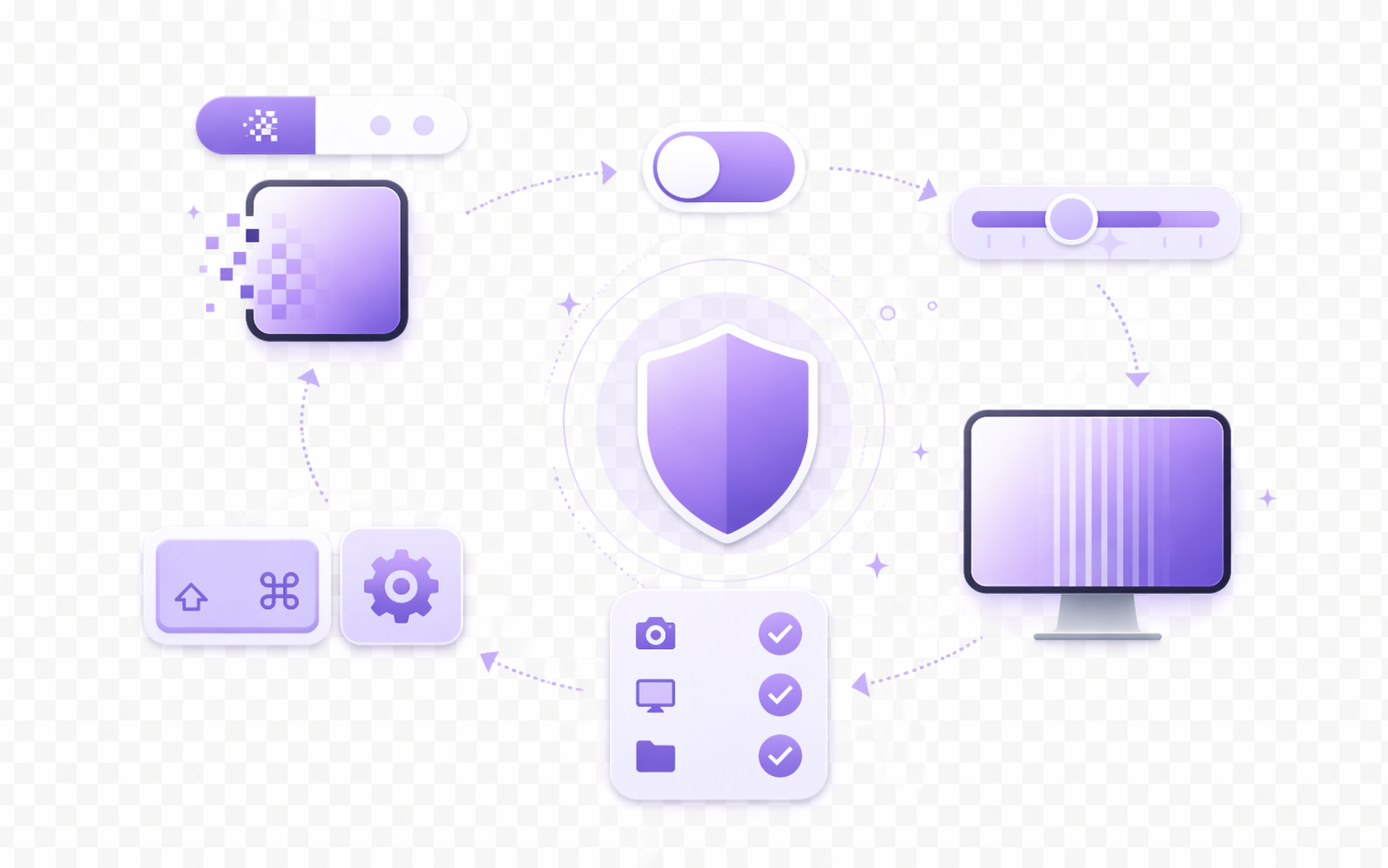
A transparent screen-saver-level NSWindow on every display runs a single fragment shader. One triangle per frame — sub-millisecond on any M-series Mac.
The veil is mid-grey at moderate alpha. It darkens whites and elevates blacks, narrowing the range to ~4:1 for the direct viewer — still comfortably readable.
LCD panels already lose contrast off-axis (a 1000:1 IPS drops to ~5:1 at 60°). Our compression stacks with that falloff, dropping side viewers below ~2:1 — below reading threshold.
On top of the veil, a per-pixel noise pattern scrambles glyph edges at angle. Forced brightness amplifies the whole effect by multiplying native luminance.
Your screen, from two angles. One has Pixel Veil on.

“Finally a privacy screen I can toggle. Libraries, airports, shared desks — one hotkey and I'm covered.”
“The contrast reduction explanation clicked immediately. It's not magic — it's physics, applied well.”
“Menu bar native, hotkey works across Spaces, brightness restores on quit. Exactly what I'd write if I had the time.”
No. A hardware privacy filter physically absorbs off-axis light inside the panel. Pixel Veil composites a mask in software — it can't narrow the viewing cone, but it meaningfully degrades side-angle readability through contrast compression. The About page in the app is explicit about this trade-off.
No. Pixel Veil is free and open source. The entire source tree lives at github.com/pixelveilteam-dev/pixel-veil.
Apple requires apps to be signed with a paid Developer ID ($99/year) to be silently accepted by Gatekeeper. Pixel Veil is open-source and isn't distributed through a paid certificate, so you'll see a one-time "Apple cannot check it for malicious software" dialog on first launch. Right-click the app in Applications and choose Open — you only do this once. Full instructions live in INSTALL.md.
None, for the overlay itself. Accessibility and Screen Recording are surfaced as optional — they unlock extra app-rule accuracy and a future adaptive mode that reads on-screen text regions. The app works end-to-end without them.
Yes. The overlay window uses .canJoinAllSpaces at screen-saver level and re-asserts itself after every Space transition.
Yes. Every attached display gets its own overlay window with optional per-display strength and pattern overrides. Hot-plug aware.
Any Mac running macOS 13 Ventura or newer. Universal — runs natively on Apple Silicon and Intel.
No. The Metal shader draws one triangle on demand (only when a preference changes) and runs sub-millisecond on any M-series Mac. Idle GPU cost is zero.
A universal macOS app. Free, open, and offline. v1.0.0 · 3.6 MB
macOS 13 Ventura or newer · Apple Silicon & Intel
macOS will ask you to confirm the first time you open Pixel Veil — this is normal for any open-source app not distributed through the App Store. After install, right-click Pixel Veil in Applications and choose Open. You only do this once.
Prefer the command line? xattr -cr /Applications/Pixel\ Veil.app
Report bugs, request features, share setups, or just hang out with other privacy-curious Mac users.